Showing posts with label Security. Show all posts

Wednesday, April 26, 2023

Windows Driver Error 1275 Displayed When Running Epic Games Battleye Anti-Cheat. [Fortnite]

Windows driver error 1275 is displayed when trying to run a game using Epic Games Battleye Anti-Cheat Protection Software. [Necessary to run the game Fortnite.]


Epic is researching the issue related to the Windows Core Isolation [Hardware-Enforced Stack Protection] security protocol.

Enabling this option in Windows settings will not allow BEDaisy.sys [a core Battleye component] to run.

Currently the only [temporary] fix is to disable Core Islotation:

    - Click the "Disable" button in the Windows pop-up dialog window if displayed and reboot the system.

    - Click on the Windows "Start Menu" icon and type "core isolation" into the search box, click the "system setting" icon, this will open the related Windows Defender Security setting window.

    - Click to disable the Kernel-Mode Hardware-Enforced Stack Protection option.

[Windows 11 screenshot]

- Reboot the system and the issue should resolved until a patch is released where you can re-enable this option.

Epic Games notes that disabling this service the does not lower the security of the system, or expose it to greater risks as it was a feature that was previously disabled by default.


We hope this issue will be permanently resolved in the near future.


Monday, March 17, 2014

Thursday, October 17, 2013

Tuesday, November 23, 2010

Secure those iPad (iPhone, iTouch) Files:

With most new/cool/electronic devices, people like to gain hands-on experience ...for good or bad.

Locking the iPad (or iPhone, iTouch) with a passcode is a good first step, but what if someone wants to try the device out?

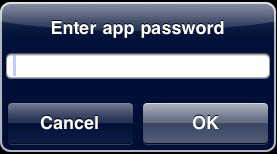
Using an app like “Goodreader” allows you to password protect your sensitive documents (Text, Photo, PDF, etc…) from prying eyes.


Sunday, November 7, 2010


Having flash installed on your devices apparently does shorten battery life.

Steve Jobs' [CEO; Apple Inc.] company has been criticized for refusing to allow Adobe’s Flash software it be installed on it’s portable iOS devices (iPhone, iTouch, iPad), and the new OSX Macbook Air laptop computer [user installable].

The stated primary reasons were security and power consumption issues.

While the security issues are being addressed, the power problem is just beginning to come to light (of the end-users).

Steve Jobs may be a [highly?] regarded as an over-zealous pitchman, but he’s certainly no liar.


iMage found via Google from polygeek.com.

Monday, January 25, 2010

Comcast offers free Norton Anti-Virus for Macintosh to its internet subscribers

Comcast US has switched vendors from McAfee to Norton Anti-Virus, and now offers the Norton Suite free to its Apple Macintosh subscribers.

Including Norton Anti-Virus, their own version of a Firewall, Phishing protection, and Norton Confidential which protects your personal data.

Login to Comcast with your eMail address, and password, click 'More...' option (down the left-hand side of the screen) and click 'Computer Security...' to goto the information page to download.

Reboot as directed, then run 'LiveUpdate' from Applications > Symantic Solutions to download the latest updates.

Tuesday, January 13, 2009

Why does the firing pin sheer off my Schofield (Top-Break) revolver?

The Schofield or Top-Break pistol can be damaged when the firearm is opened or closed and the hammer isn't in the half-cocked position.

Friday, April 18, 2008

Typical 'phishing' scam.


An actual eMail.

Clicking on the link supplied [changed] would have taken you to a FALSE site

where thieves would ask for your account name, and password.


From:  service@paypal.com

Subject:  Together to protect your account !

Date:  18 April, 2008 10:27:44 AM GMT-04:00


We recently noticed one or more attempts to log in to your paypal account
from a foreign IP address.

If you recently accessed your account while traveling, the unusual log in
attempts may have been initiated by you. However, if you did not initiate
the log ins, please visit paypal as soon as possible to verify your
identity:
This link is walid for 48 hours.
If you do not verify your information we will make your account limited and
will start an investigation.

https://www.paypal.com/us/cgi-bin/webscr? cmd=verify=PJ321%3490320

Verify your identity is a security measure that will ensure that you are
the only person with access to the account.

Thanks for your patience as we work together to protect your account.

Sincerely,
Paypal Security Team
 
Paypal Email ID PJ321


[link changed to the Anti-Phishing Work Group site.]

Wednesday, April 9, 2008

Avoiding SPAM

Unsolicited eMail accounts for most internet traffic.

Apparently enough money is made through uneducated consumers to continue the practice.
Some things to consider doing to minimize spam:

  *NEVER* reply to an unsolicited eMail.

  *NEVER* "click here to unsubscribe" or "click to be removed", etc...

  *NEVER* click anywhere on a unsolicited eMail, label it as 'Junk' and/or delete it.

  *NEVER* click anywhere on an eMail [such as a one] from a financial institution, go to your browser, and enter the main [known] address manually, use a bookmark, Google to the site, ask some ones advice, or call the business directly if unsure.  -Scams APPEAR like real sites, designed to steal any information entered.

  When filling out online forms, if possible choose *not* to have "partners" (or the like) contact you.


  Create a second eMail account.
gMail from Google, and yahoo from my.yahoo allow you to setup free eMail addresses.
Use one eMail address for trusted individuals, and the other one for questionable circumstances.  Delete everything in the junk account often.


More advanced:

Change Mail's 'Reply-To' address:
While reeking havok with friends and family, altering the 'Reply-To' field will usually insure a person will respond, if necessary. 
Create a new eMail, click the 'View' menu, select 'Reply-To Address Field' and alter your address. i.e. frigtardATgmailDOTcom, or frigtard@gmail.no-spam.com

Configure a spam filter, such as JunkMatcher.


Free Passwords!

password
qwerty
abc123
letmein
monkey
myspace1
password1
blink182

123
1234
123456

add a zero or a one to:
your first name
household members name
household members birthdate
your pet's name
your city
your college

last four digits of your social sec#
local team name
god
money
love