iOS Jailbreak Services are always FREE.
GottaBeMobile news here.


With most new/cool/electronic devices, people like to gain hands-on experience ...for good or bad.
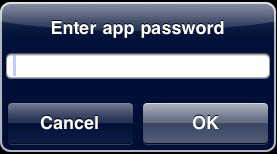
{Unhacked devices can use the built-in setting.}
Many people don't realize Cydia has a built-in memory allocation pie chart.
(Cydia and Installer are the two programs installed on the devices when hacked by ZiPhone.)
Run Cydia, touch 'Manage', touch 'Storage'.

Also see the previous posts regarding BossTool and SBsettings.
SBSettings a BigBoss app* which allows quick access to:
-WiFi and Data IP addresses.
-Used/free space for the device's memory (sometimes referred to, incorrectly, as HDD space).
-Quick Respring and Power off.
-Quick toggling for various options such as WiFi, SSH, and BlueTooth -among others.
-Quick access to any programs (up to 12) you can add to the the pop-up 'Dock' (within the app).
Wiping your finger across the top of the screen accesses the drop down menu:
Touching the 'Dock' button reveals the application icons previously selected through the 'More' option:
Good Stuff.
*BigBoss, a brilliant programmer(s) whose apps are installed through Cydia or Installer (iPhone School links) via ZiPhone, which installs them both quickly, and easily.
Symptom 1: Installing the 3rd party app 'Stack' places the floating icon in the center of the dock, and there is no way to adjust this.
Symptom 2: Installing the 3rd party app 'Extended Preferences' doesn't appear to work.
[Uninstalling / reinstalling has no effect.]
The applications install their preferences into the native 'Settings' program.
However, the settings for Stack or Extended Preferences are not shown.
Culprit: 'Stack' and 'Extended Preferences' conflict with each other.
Fix: [From reader Dominick, Thanks!], turn off Extended Preferences in winterboard (if installed).
Fix: Uninstalling Extended Preferences or Stack until a patch is issued.
-Reinstalling Extended Preferences with Stack installed will prevent the extend prefs from appearing.
-Reinstalling Stack with Extended Preferences installed will prevent the exstended options (settings) appearing.
-At this point, it's one or the other.
Some screen shots showing Stack after uninstalling Extended Preferences

Note: you must place an icon behind the stack to space your five icon dock correctly.
A blank icon (using iBlank works best.)
 [Occurs when trying to update an existing application]
If you receive this error, try deleting the original...
(Pay attention to page/placement, as you may need to move it to its original location manually.)
First, clear the dialog box, click 'Done', then press and hold your finger on the icon until it starts to "jiggle", press the little 'X' in the upper left corner of the app to delete it.*
Tap the icon again to install it.
Press and hold your finger until it starts to "jiggle", then hold down the center of the icon and drag it to the right edge to move it to another page.
*Apps from Apple's App Store only.
(Cydia and Installer apps, delete through those programs -where it was downloaded from.)


